
Designing Agentic AI Systems for Autonomous Accounts Payable Workflows
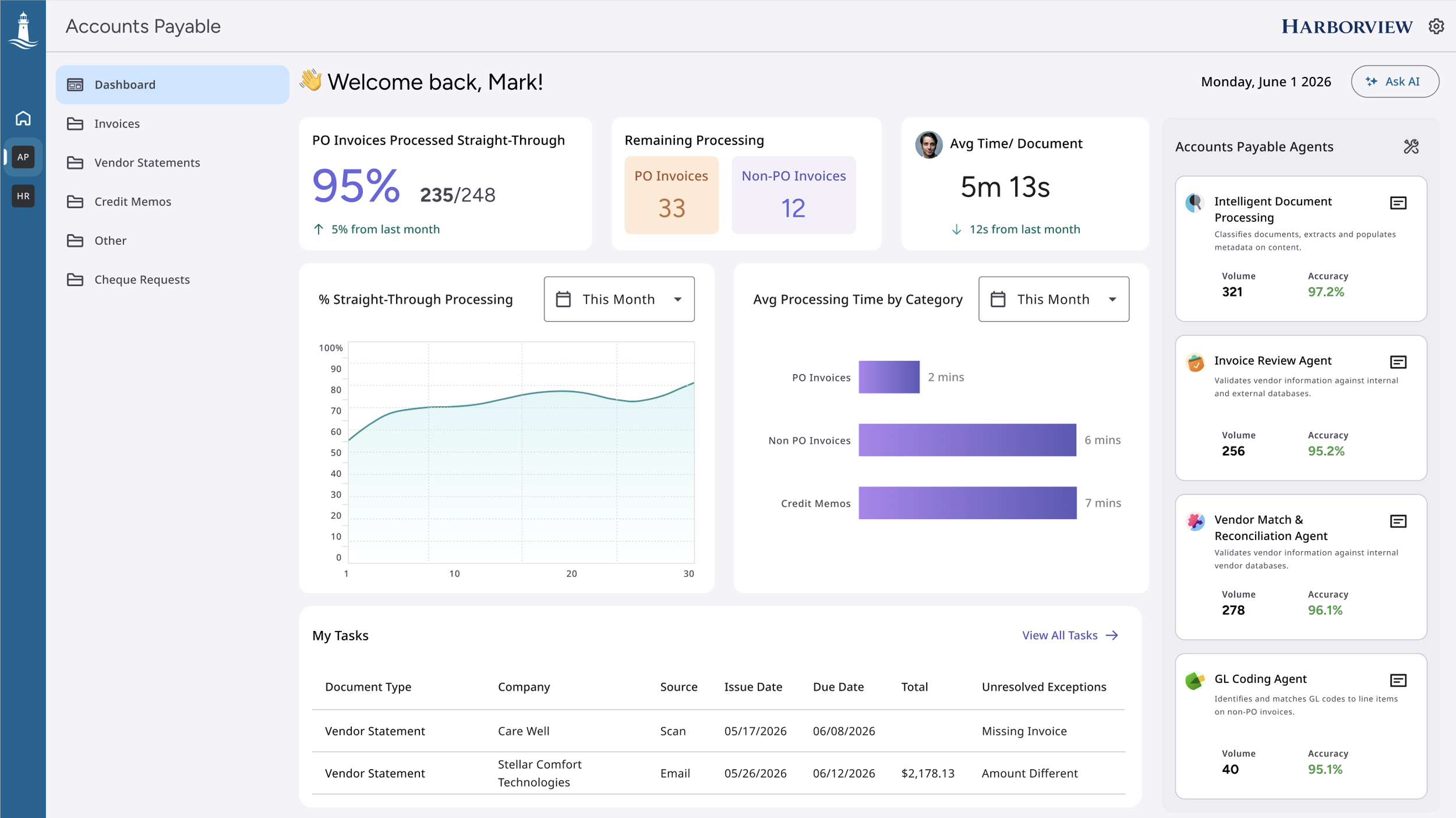
The Accounts Payable solution uses AI agents to automate invoice and vendor-statement processing, including vendor and PO matching, duplicate detection, GL coding. It routes only exceptions to AP specialists while keeping automated decisions transparent and reviewable.
Project Tags
Deliverables
User Research
Visual Design
User Flows
Design Presentation
User Testing

Year
2026
Team
1 UX Designer
1 Design Manager
1 User Researcher
2 Product Managers
Duration
3 months
Role
Product Designer
IMPACT
The redesigned workflow reduced exception-handling time and gave AP teams a system that got smarter with use.
Testing and Results
Tested interactive prototype with 6 Health Information Management (HIM) professionals
100 % task completion: each user processed a document without or minimal assistance

All participants said the tool would significantly speed up their daily document-processing tasks
Personal Takeaways
Close collaboration with the dev team on this high-impact project taught me to balance bold design ideas with technical constraints, making smart compromises to deliver maximum value.
PROBLEM
Automation that couldn't earn trust left humans doing the work it was supposed to eliminate.
Why do we need to work on this?
Business Goals
Increase straight-through processing rates so invoice volume scales without headcount scaling with it.
User Goals
Stop verifying invoices the system should already be confident about.
Improve OCR accuracy over time so the product compounds in value rather than plateauing after implementation.
Reduce time-to-value for new customers by eliminating the tribal knowledge dependency that made the existing product hard to adopt.
Get enough context in the queue to make a decision without opening the invoice.
Trust that a correction made today will prevent the same error tomorrow.
User Interviews informed us Labor-Intensive Mail Prep Eats Up Hours Every Day
A researcher was brought onto the project to conduct 3 user interviews with customers using the Brainware application, as well as 1 interview with an external customer. The goal was to understand their workflows, identify what was working well, and pinpoint areas for improvement.
Missing Information Led to Manual ERP Searches
Missing vendor, PO, and GL information forced AP specialists to search ERP records and make repetitive decisions manually
Exceptions Created Rework and Payment Delays
High exception volumes and reconciliation issues created repeated rework around duplicates, amount mismatches, and unmatched invoices
Limited Queue Context and Low Trust Increased Manual Review
Customers could not see meaningful invoice details without opening each item, while unreliable extraction and matching caused them to verify nearly everything manually
Design
AI-assisted GL coding for non-PO invoices reduced hours of manual tedious work for AP specialists
Non-PO invoices require AP specialists to manually determine the correct general ledger account, cost center, and other coding values. This often involves reviewing invoice details, checking previous invoices from the vendor, and relying on institutional knowledge.
Goal
Reduce repetitive coding work by recommending likely GL values, while allowing AP specialists to add manual coding if AI did not recommend the correct codes.
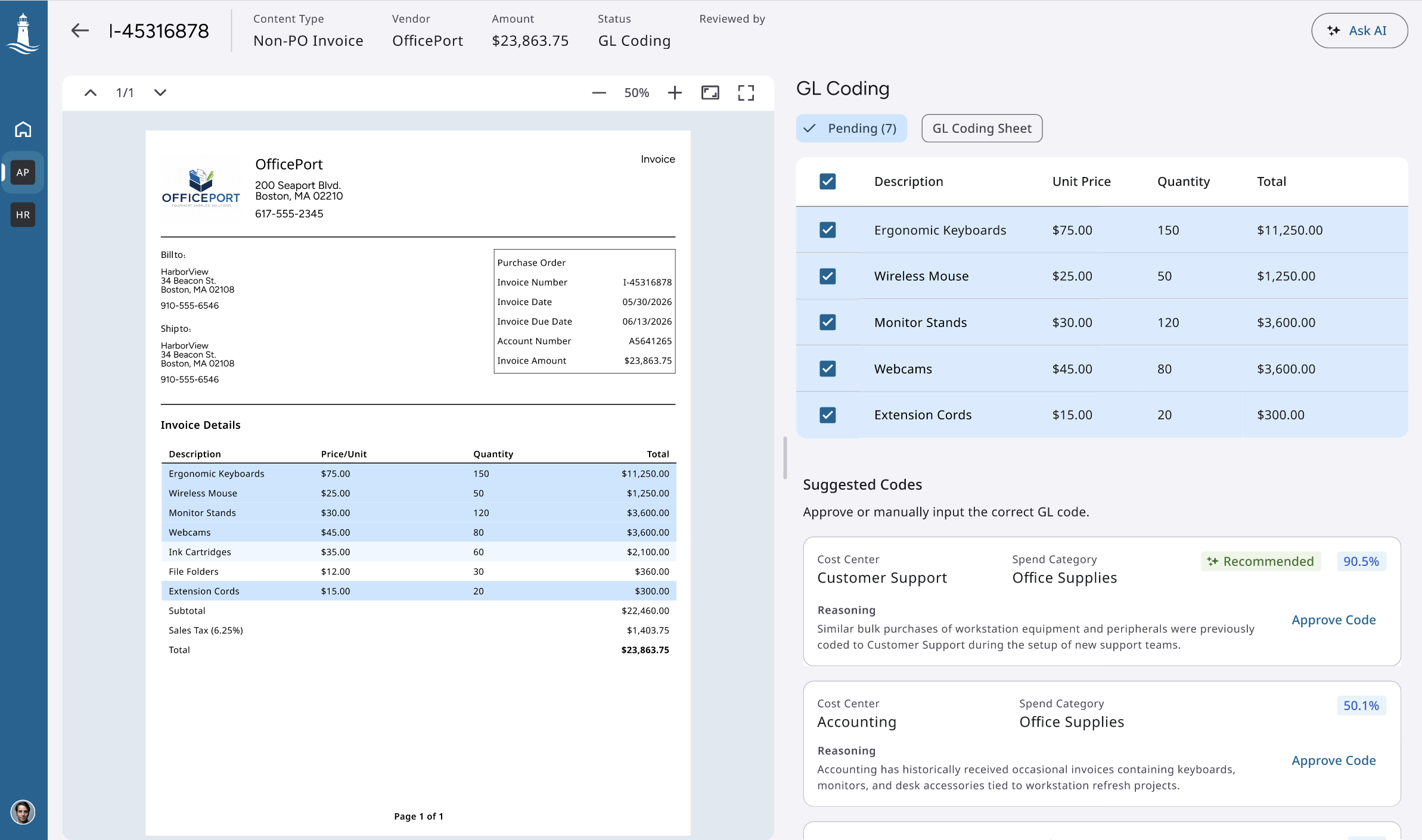
Fig. The system analyzes Line Items and recommends the most likely GL coding directly within the review workflow.
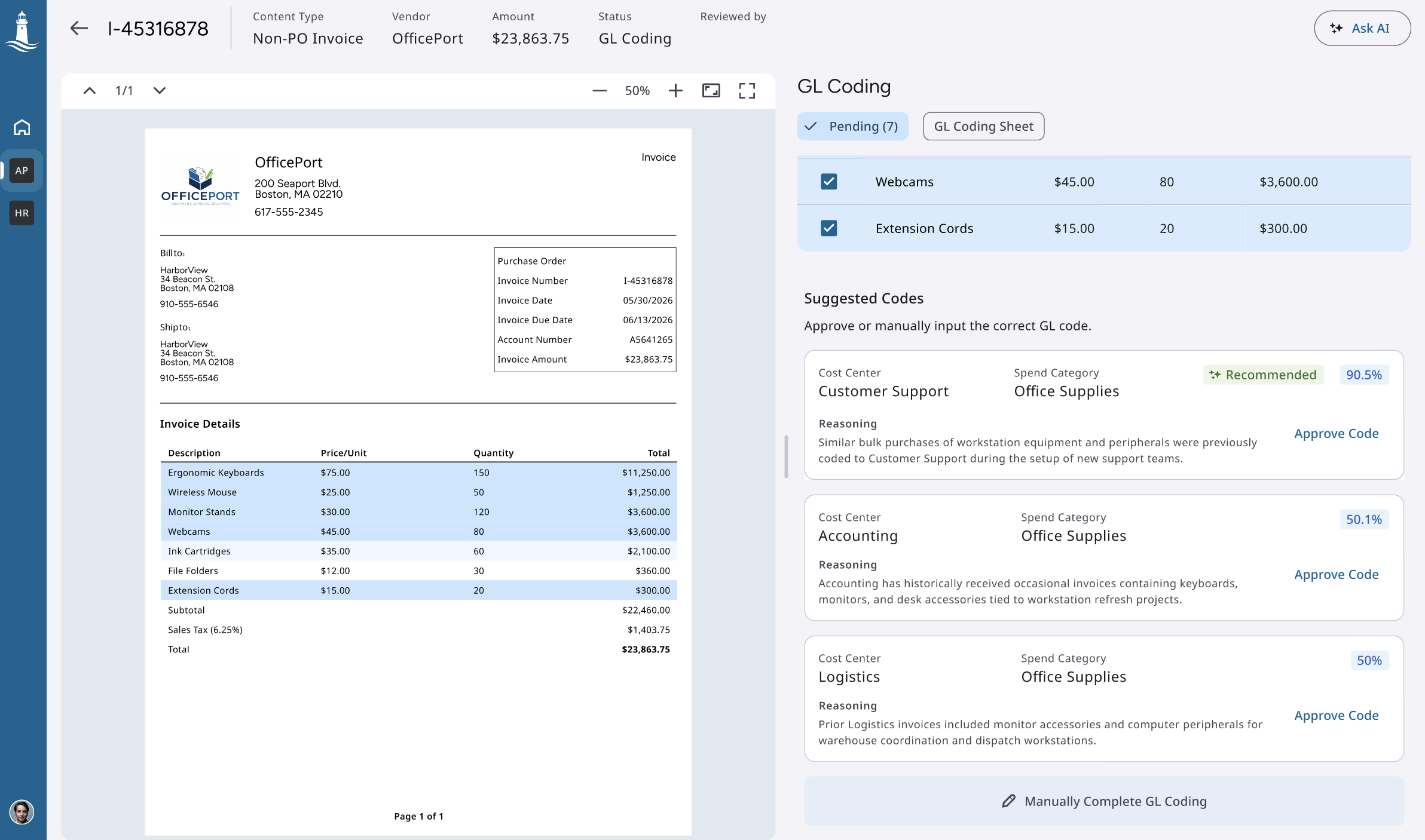
Fig. If none of the suggested codes is right, the AP specialist can type the code manually.
Intelligent PO matching
When a PO number is missing from an invoice, AP specialists must manually search across vendor records, amounts, dates, and purchase orders. This is a tedious and time-consuming process.
Goal
Help AP specialists quickly identify the correct purchase order while giving them enough evidence to trust the recommendation.
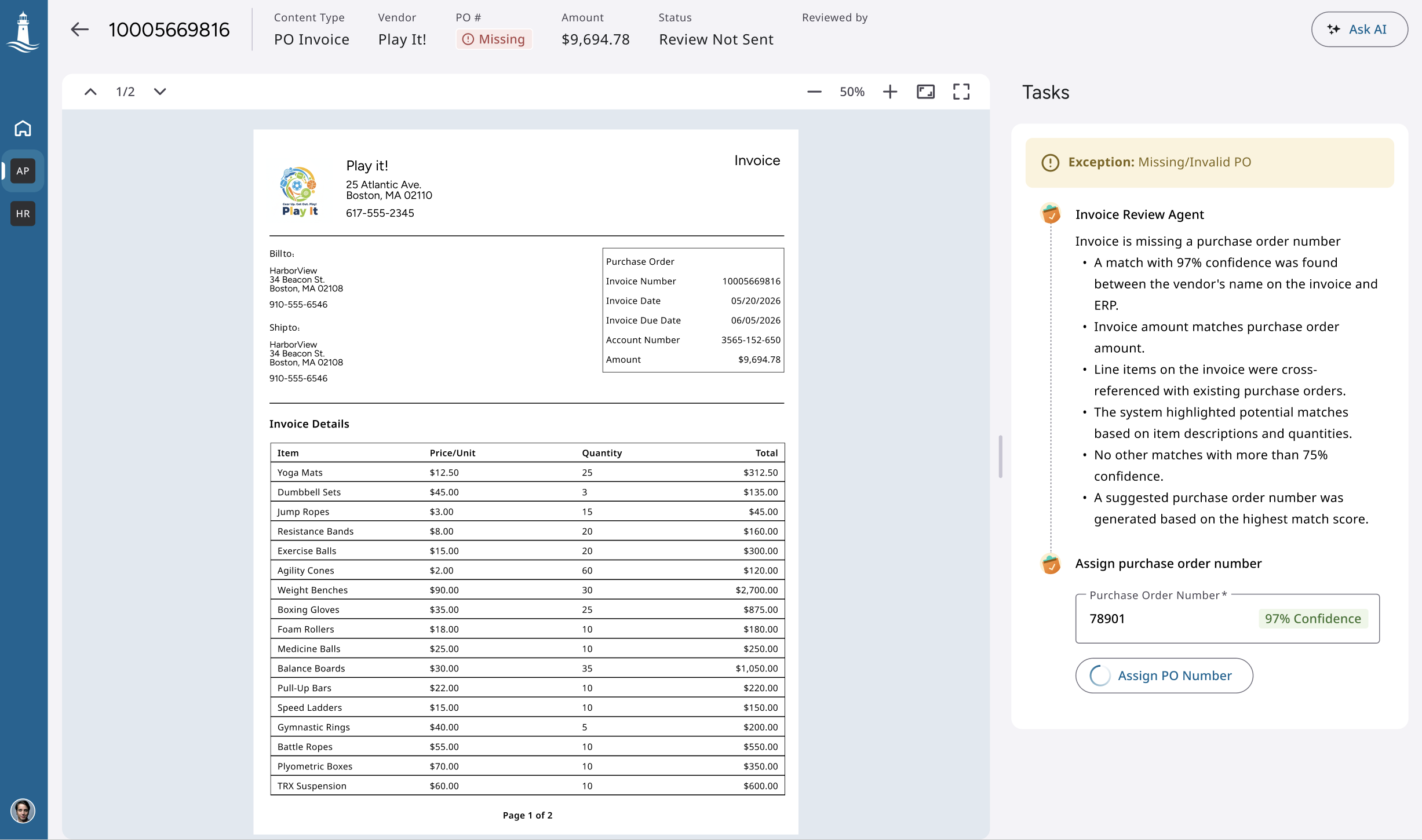
Fig. Enterprise Context Engine to recommend the most likely PO using invoice, vendor, and enterprise data.
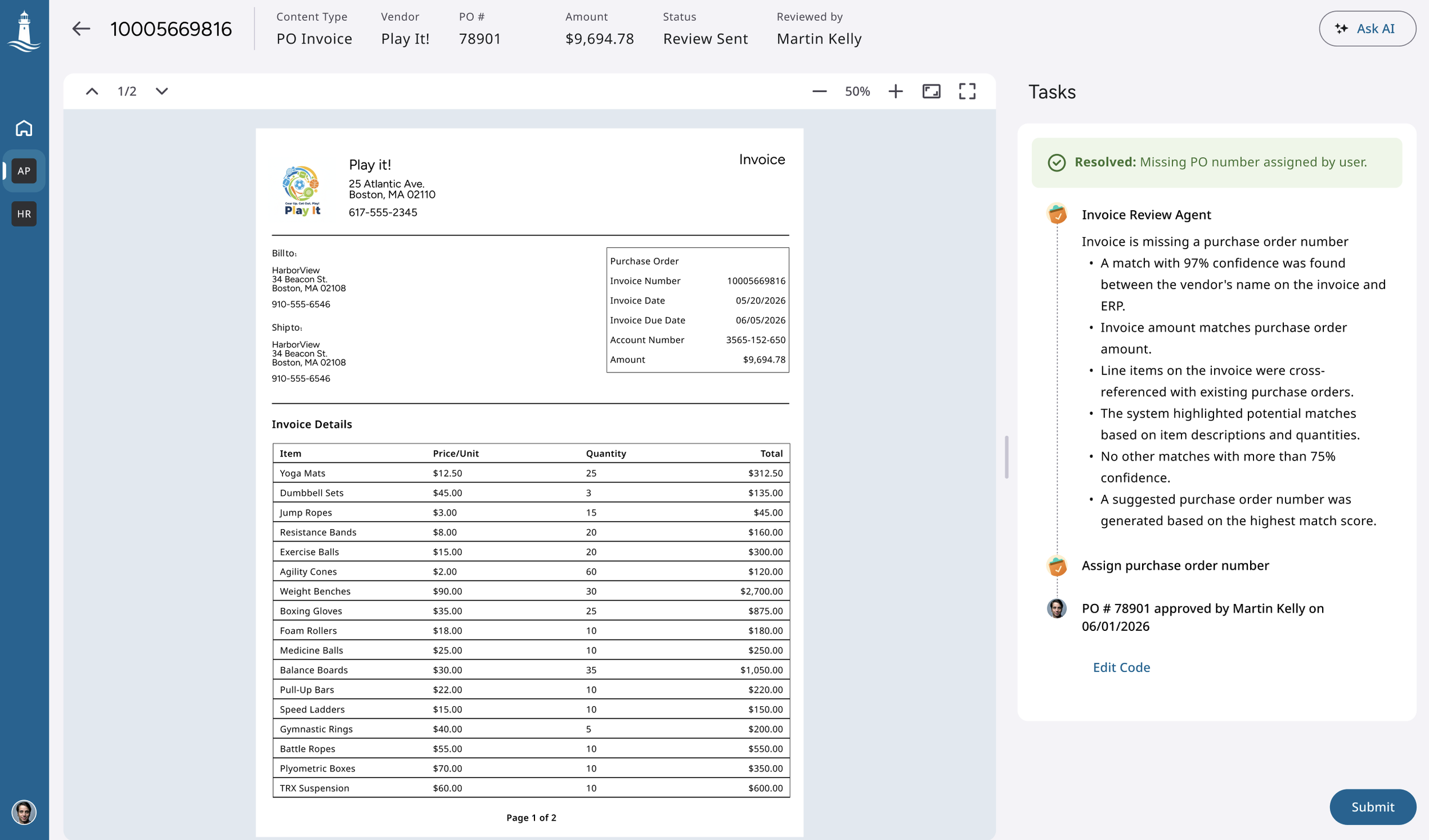
Fig. After assigning the PO, the user have the option to edit it if they accidentally clicked the button
Building Trust in Automated Invoice Processing
Straight-through processing saves time, but AP teams still need visibility into how invoices were validated, matched, and posted automatically.
Goal
Build trust in automation by allowing specialists to inspect completed invoices without requiring them to manually review every decision.
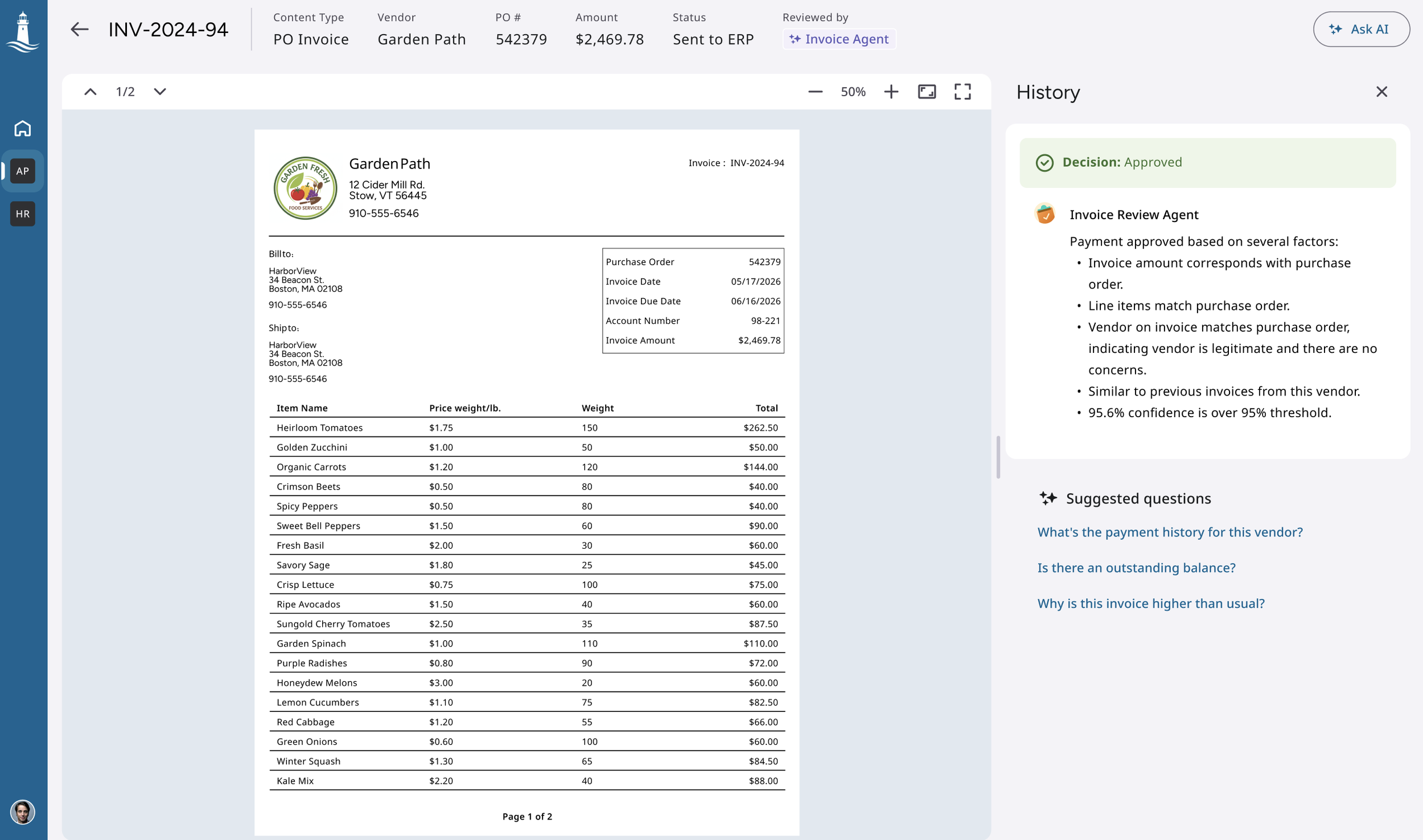
Fig. I designed an explainable audit trail for automatically processed invoices.
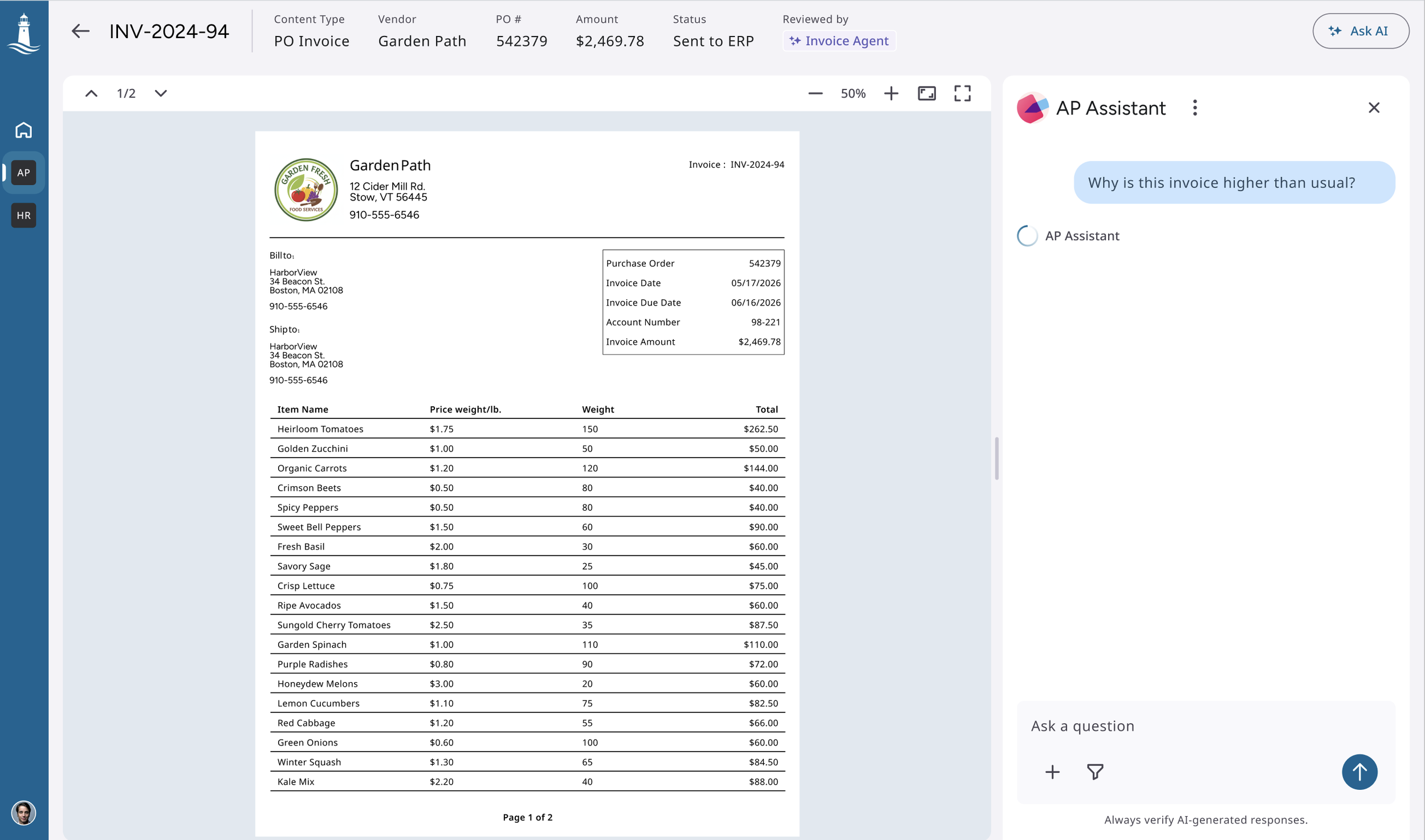
Fig. Conversational interface where specialists could ask follow-up questions about the invoice, explore the reasoning in more detail, and better understand how the system reached its decision.
Helping AP Teams Resolve Missing Vendors
When the vendor associated with an invoice could not be found, AP specialists had to manually search the ERP using incomplete or inconsistent information. This was a major pain point and often delayed invoice processing.
Goal
Help specialists quickly identify the correct vendor without removing their ability to verify or correct the result.
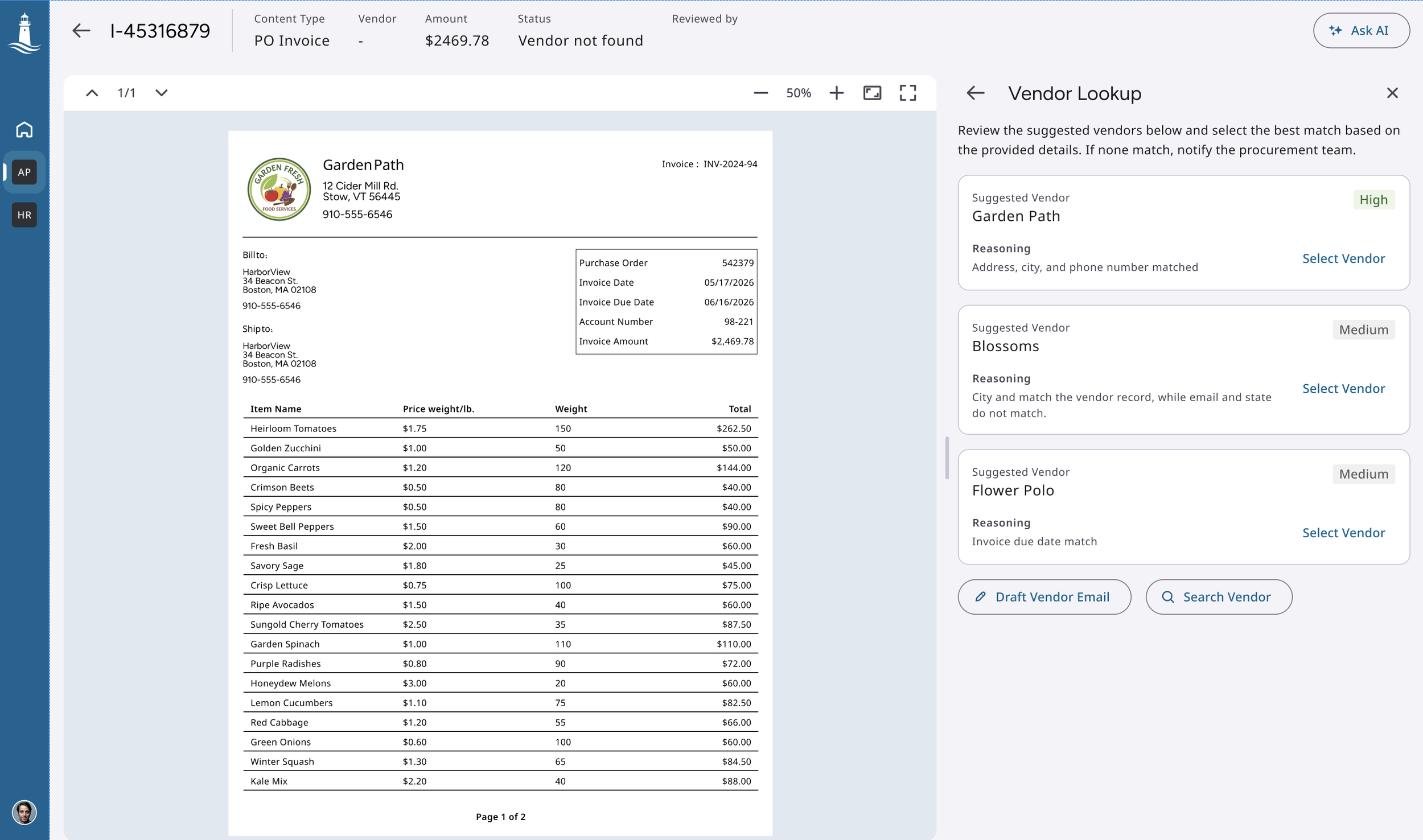
Fig. I designed an AI-assisted vendor-matching experience that used information from the invoice—particularly vendor names and addresses—to recommend possible vendor records already in the ERP.
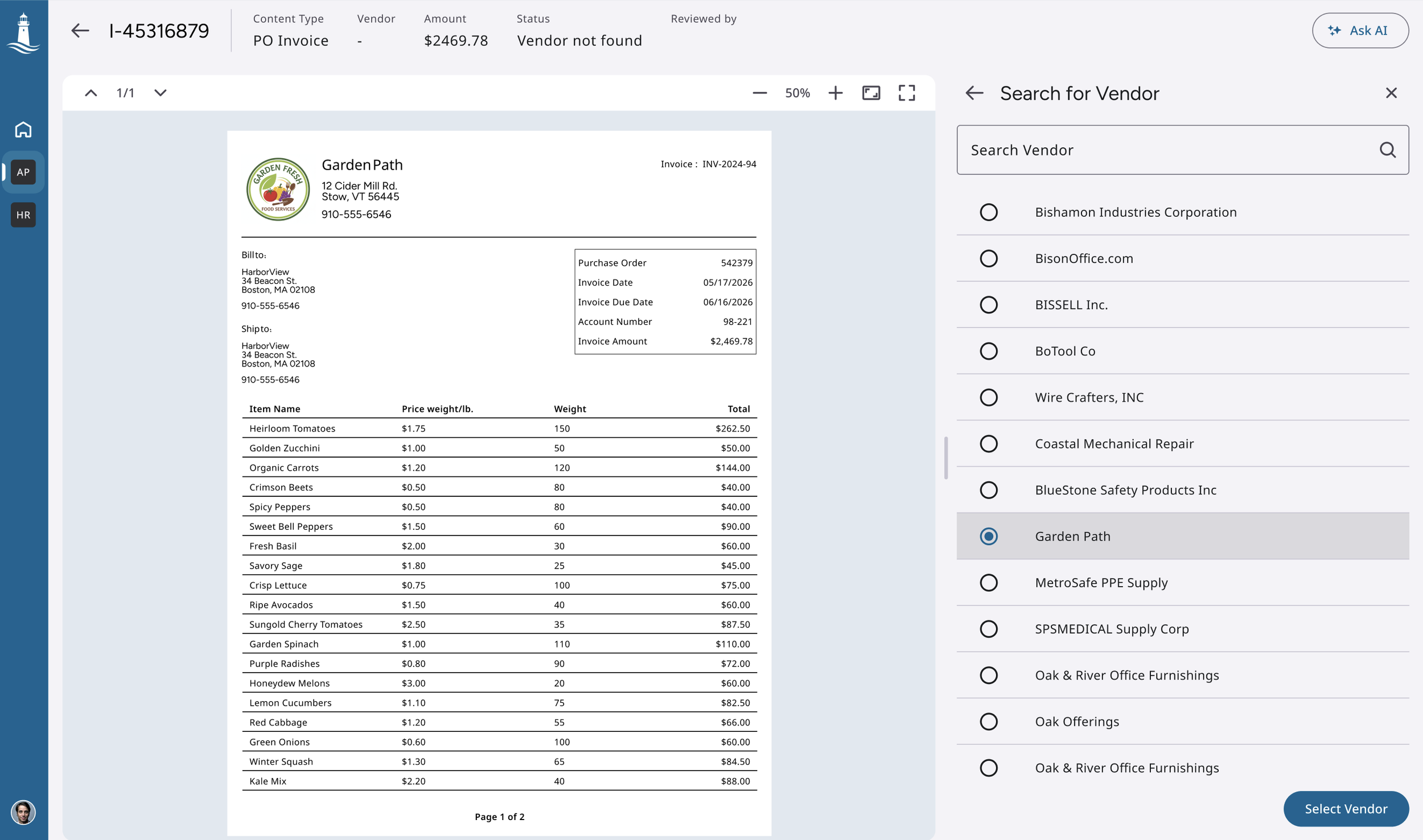
Fig. Users can also manually search when none of the recommendations were accurate.
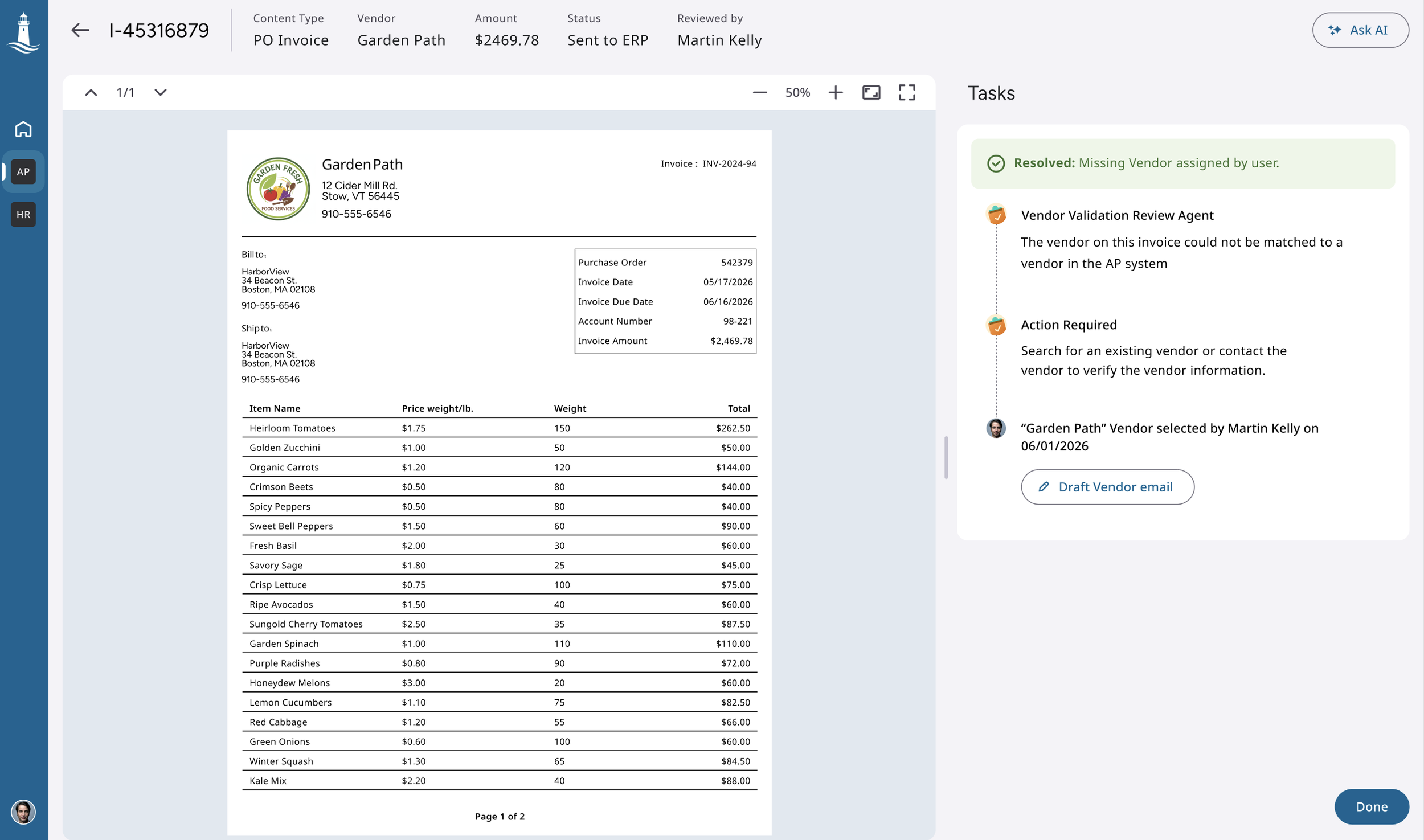
Fig. Option to send an email to vendor confirming the invoice was also seen as a useful option
Helping AP Teams Resolve Missing Vendors
A single vendor statement can contain hundreds invoices, making reconciliation a time-consuming and highly manual process. AP specialists had to review each invoice, identify issues such as missing invoices, amount differences, duplicates, or payment discrepancies, and contact the vendor to resolve them.
Goal
Help AP specialists quickly understand which invoices were successfully reconciled, focus only on exceptions, and resolve multiple issues without moving between different systems or workflows.
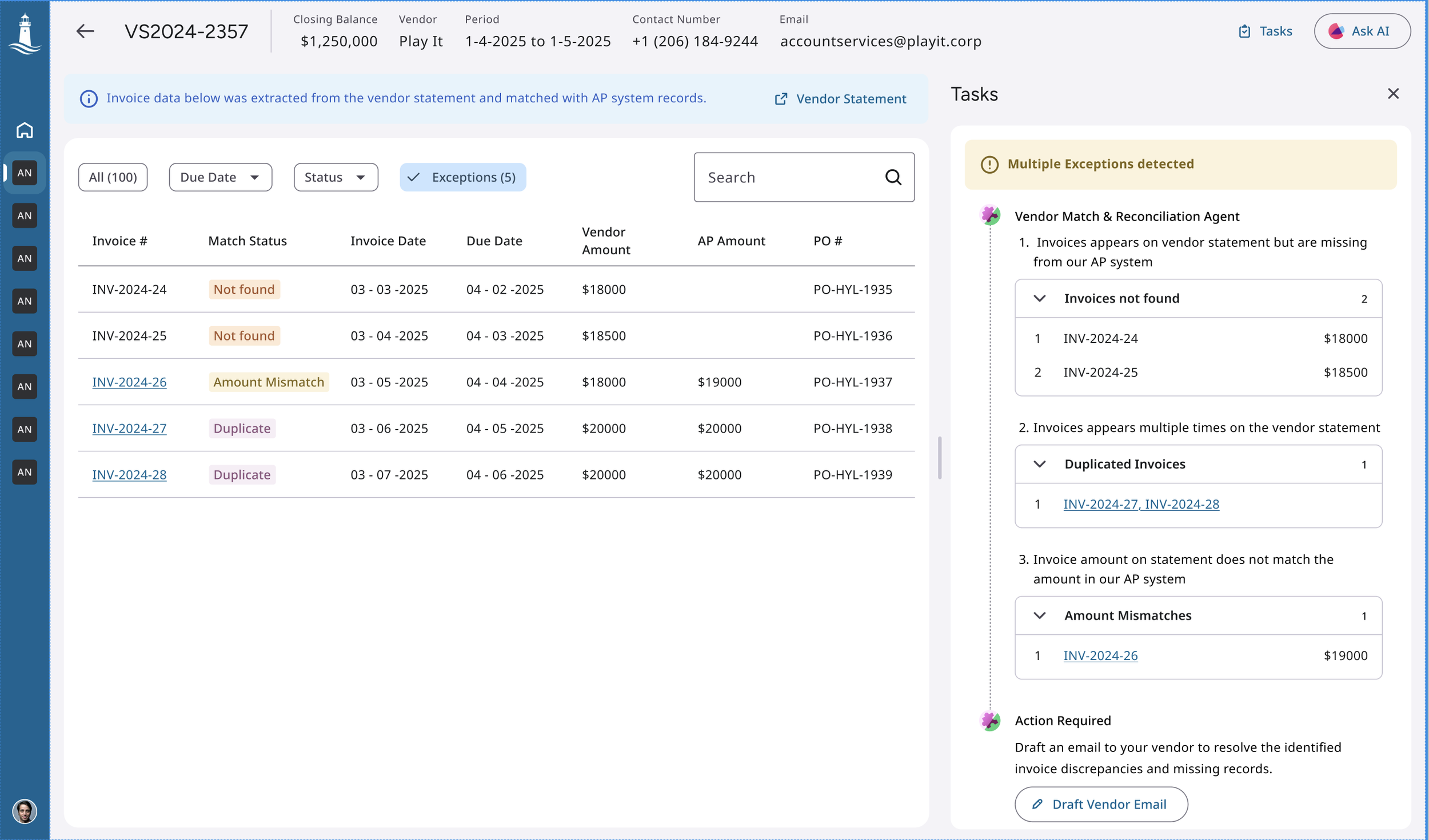
Fig. I designed an agent-assisted vendor statement workflow that extracted invoice details, reconciled them against ERP records, and grouped exceptions by type, including invoices not found, amount differences, duplicates, and payment discrepancies.
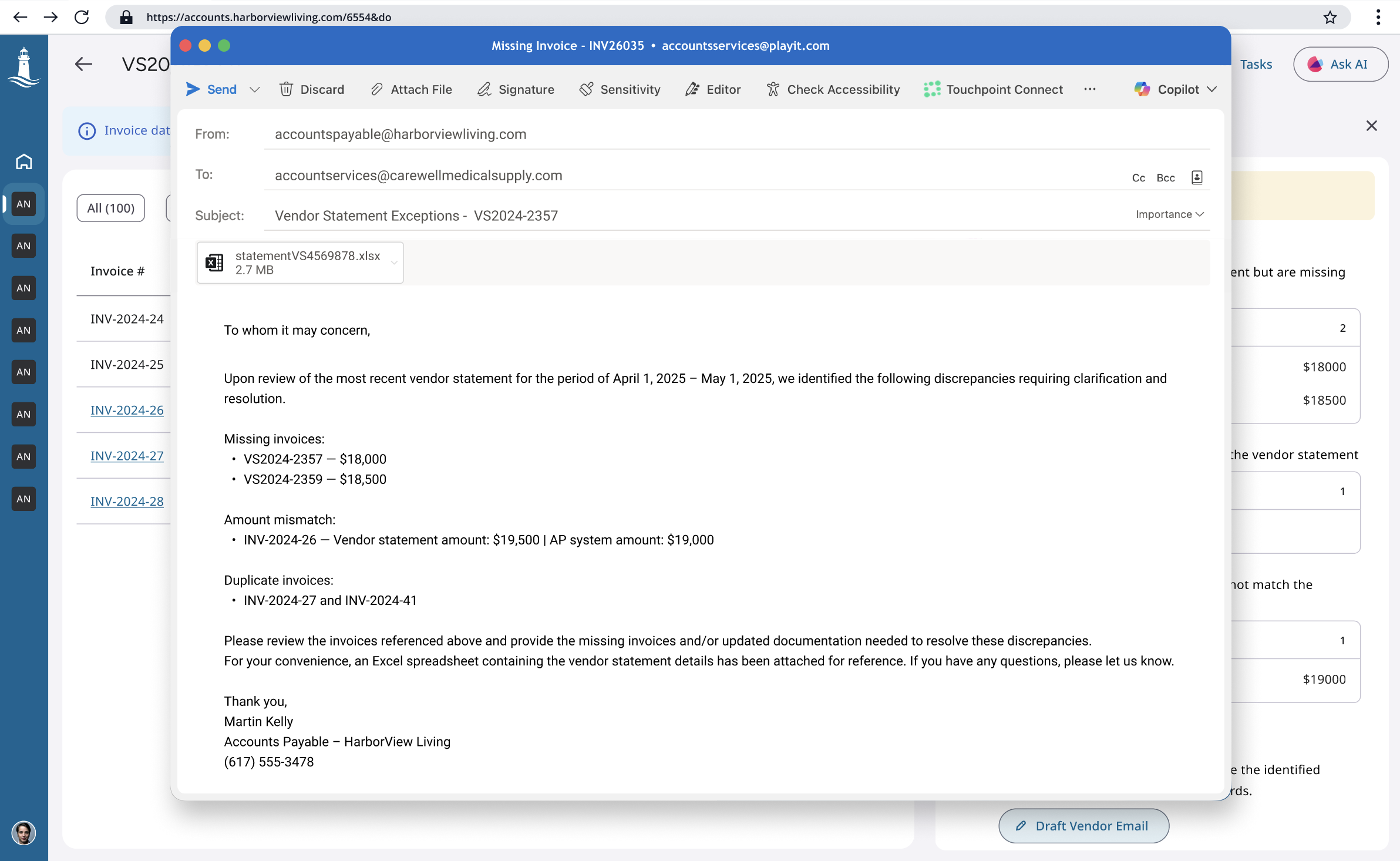
Fig. Selecting the “Draft vendor email” button generates an email based on the exceptions so the vendor can resolve it on their end. The user can edit the email.
Giving AP Managers Visibility Into Automation Performance
AP managers lacked visibility into automation performance, processing bottlenecks, and tasks requiring human intervention.AP managers lacked visibility into automation performance, processing bottlenecks, and tasks requiring human intervention.
Goal
Provide a quick view of AP operations to monitor automation, track performance, and identify issues.
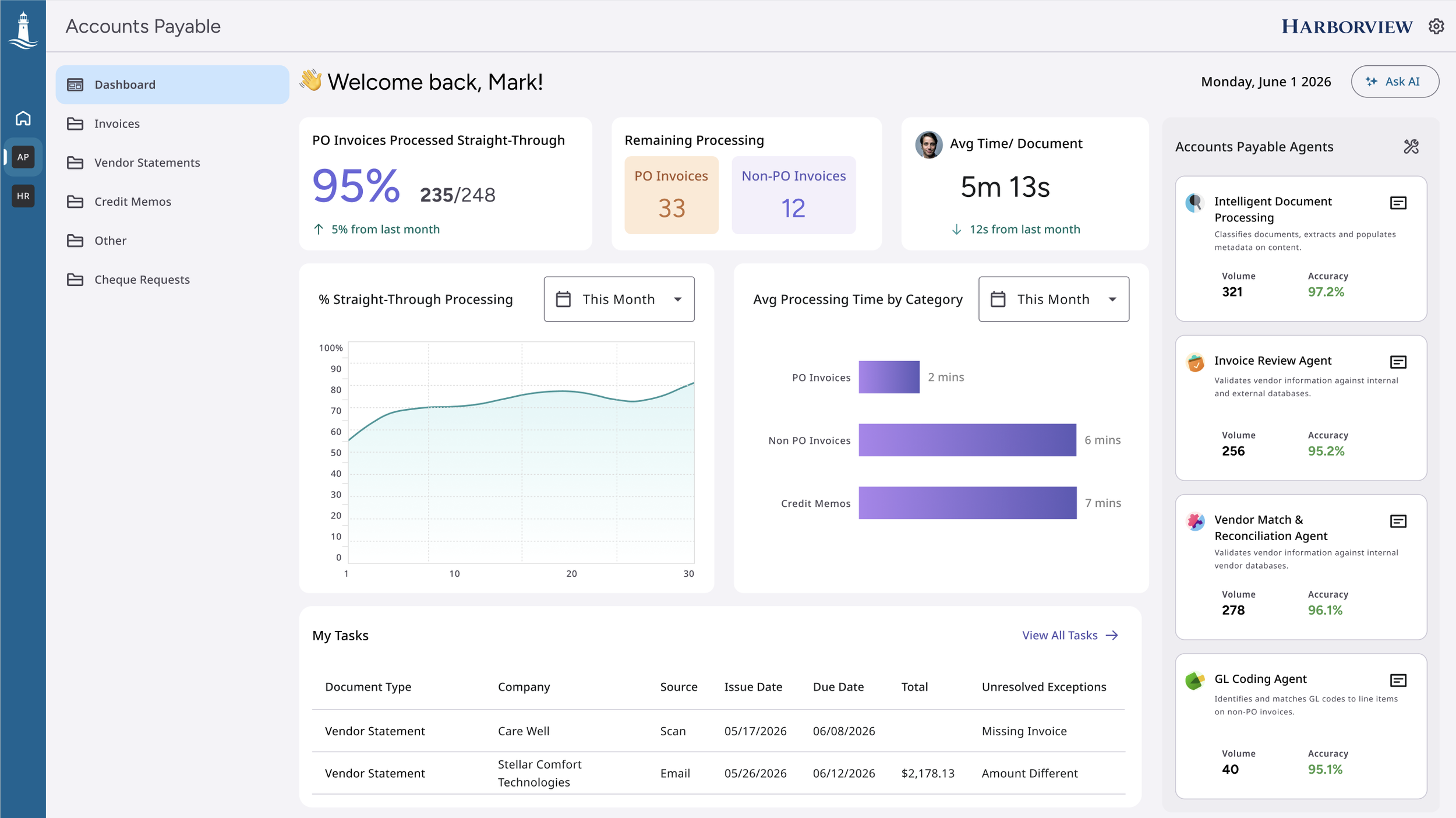
Fig. The dashboard combined operational and agent metrics in one place, helping managers quickly understand performance and take action.
Next Project
